
Trials and memberships
A membership plan is what a student pays for each period. A trial product is a short, low-cost way in for someone new. Set both up once, then assign them to students.
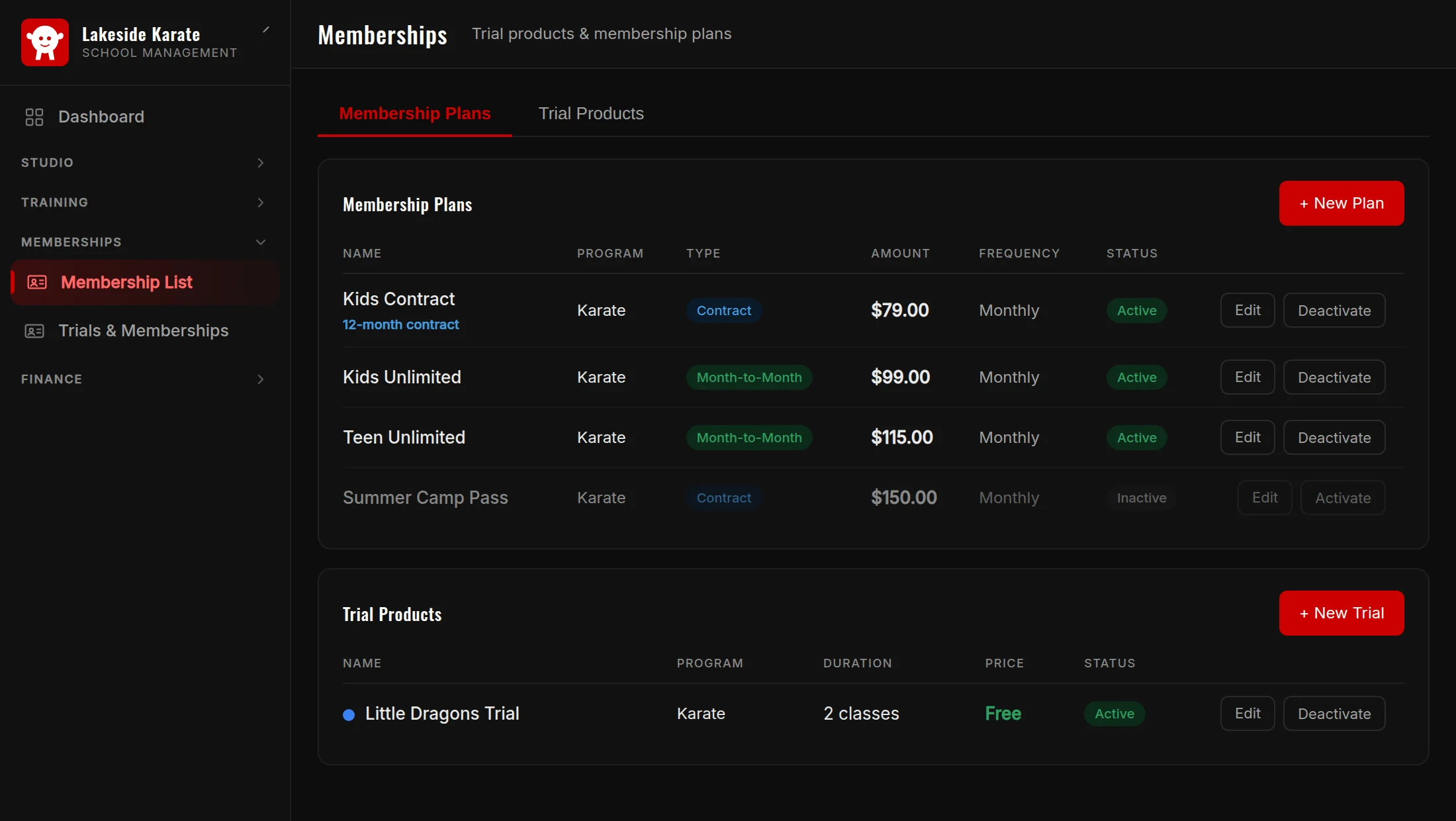
Creating a plan
- Open the Memberships page and press + New Plan under Membership Plans.
- Choose the Plan type: Month-to-month, or Contract with a length.
- Set the Billing Frequency, the amount, and an optional setup fee.
- Choose whether to prorate first period, and the billing day.
- Pick a display colour (optional; it only changes how the plan looks), then save.
An inactive plan cannot be given to new students. Use + New Trial to create a trial product.
Giving a student a membership
On the student's page press + Assign, choose the plan or trial, and set the start date. From the membership detail you can Collect, Waive, Pause, Cancel, Change frequency, Switch plan, or Change bill date.
The first period
If a plan is prorated, the first period is charged by the calendar day, and the amount rounds down to the cent. If you do not prorate, the student is charged the full first period.
How memberships are billed
- Manual memberships get an open invoice from the nightly billing run, until it is paid.
- Payment-plan memberships bill from their scheduled installments.
- Memberships on a Stripe subscription are billed by Stripe, using the card on file.