Your website, on servers we run.
Managed by people, not a ticket queue.
Axion hosts websites and web apps on servers we set up, update and watch ourselves. Publish from your git repository or upload by SFTP. Run PHP, Perl or Python, with a MariaDB database and SQLite when you need them. Nightly backups are stored off the server, and one panel holds your website, email and DNS.
Websites · Web apps · Email · DNS · Domains
Everything a website needs, already set up
Every website gets the same managed setup. Nothing on this list is an upgrade or an add-on.
Fully managed
We run the servers: the operating system, the web server, PHP, Perl and Python, security updates and the firewall. New domains, moving servers and plan changes are done by our team. Ask in the panel and it is usually done the same day.
Publish from git
Connect a GitHub or GitLab repository and your branch publishes itself on every push, or when you press Update now. Every release is kept, so going back is one click.
SFTP & a file manager
Connect with FileZilla, Cyberduck or a terminal, with a password or your SSH keys. You can also edit files in the browser. Every upload, rename, delete and sign-in is listed in File activity.
PHP, Perl & Python
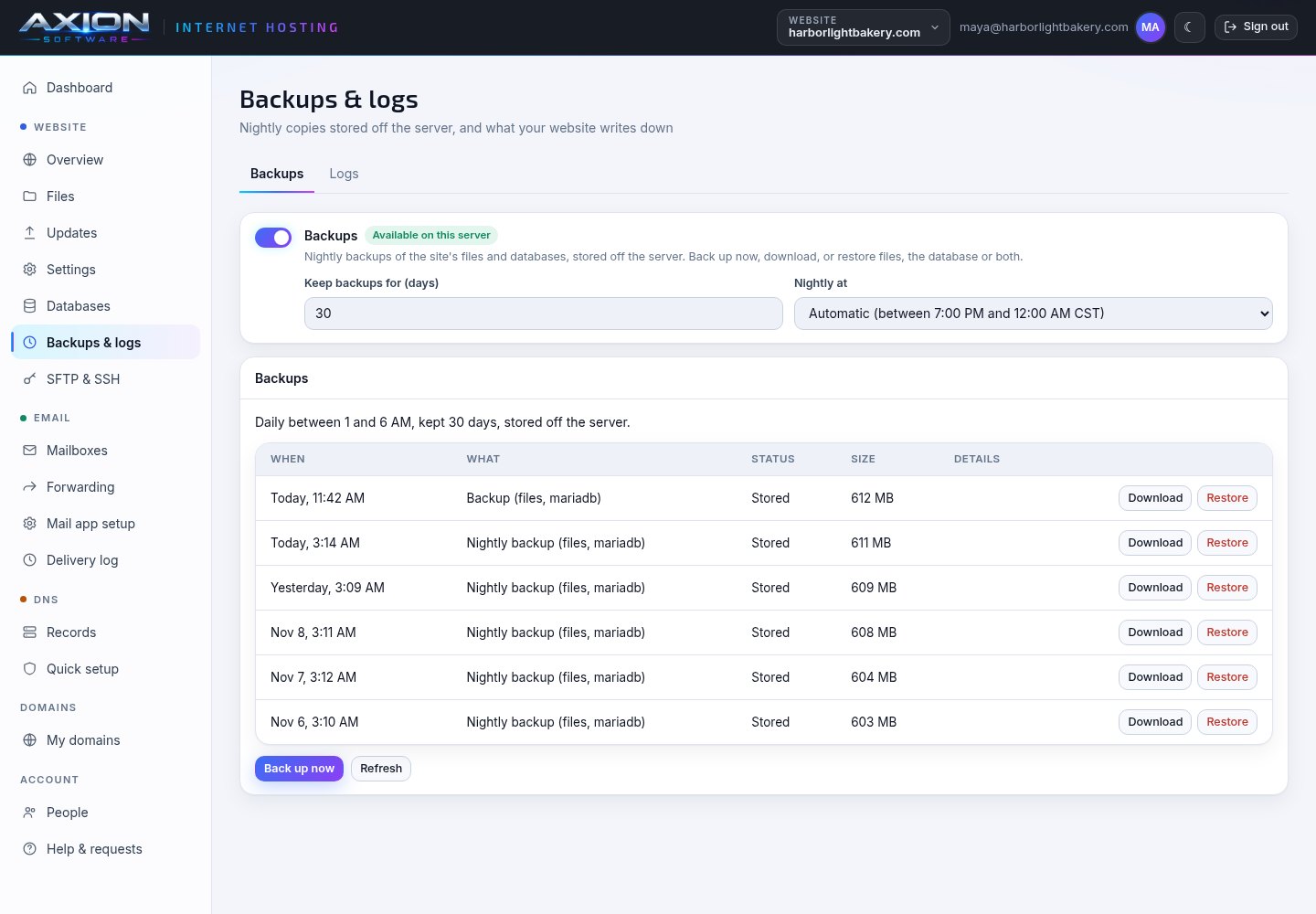
PHP 8.1 to 8.4, running in your website's own pool, with upload, memory and time limits you set. Perl scripts and apps, run as your website's own user. Or a Python web app (Flask, Django or any WSGI app) in its own virtual environment, restarted from the panel.
MariaDB / MySQL & SQLite
A MariaDB database for your website, compatible with MySQL apps such as WordPress, with phpMyAdmin when you want it. You can also keep as many SQLite files as you like in a private folder outside your web root.
Nightly off-server backups
Your files and databases are copied every night to storage away from the server. You choose how long they are kept, up to a year. Back up now, download a copy, or restore the files, the database or both.
HTTPS that renews itself
Certificates are issued for every address on your website and renewed before they expire. You can send all traffic to HTTPS, pick one address (with or without www) and turn on HSTS.
Email for your domain
Mailboxes, forwarding, webmail, spam filtering and out-of-office replies. You can bring your old mail across from your previous provider. Your SPF, DKIM and DMARC records are checked every few hours.
DNS & domains
Your domain on our nameservers, with changes live in about a minute. A history of every change lets you undo one, and Quick setup keeps the records your website and email depend on. You can also find and buy a new domain in the panel.
Run your website yourself, with our team behind you
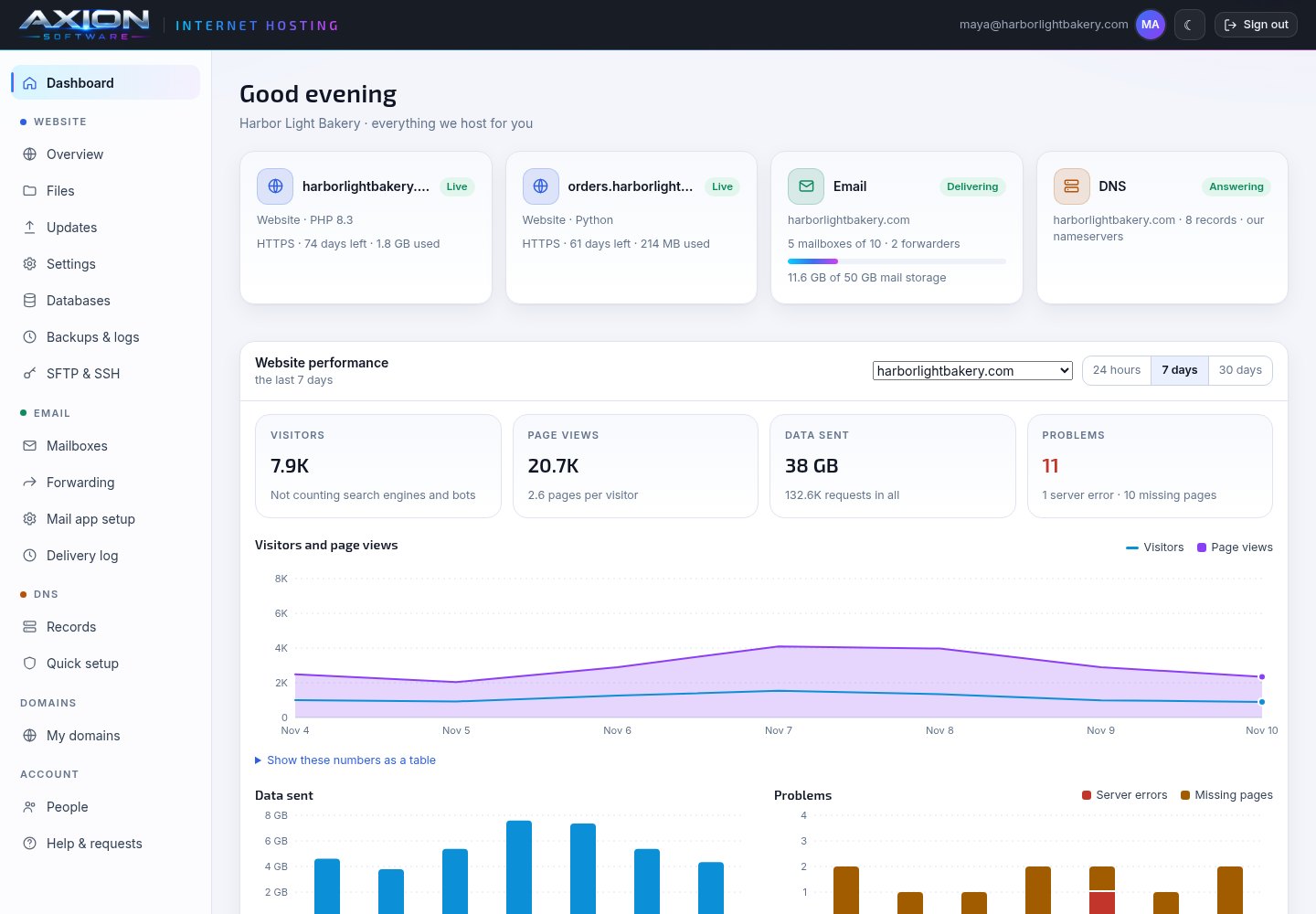
Sign in with your Axion account and everything we host for you is on one screen: whether each website is up, its certificate, its storage and its traffic.
- Visitors, page views, devices, where visitors come from and the pages they could not find
- A maintenance page you switch on while you work, and subdomain redirects such as promo.yourdomain.com
- Recent activity shows who changed what: an update, a setting, a backup, a new SSH key
- Anything that is ours to do has an Ask us button, which sends the request with your website already attached
- Add the people who look after your website as Technical contacts, and they can manage it here too
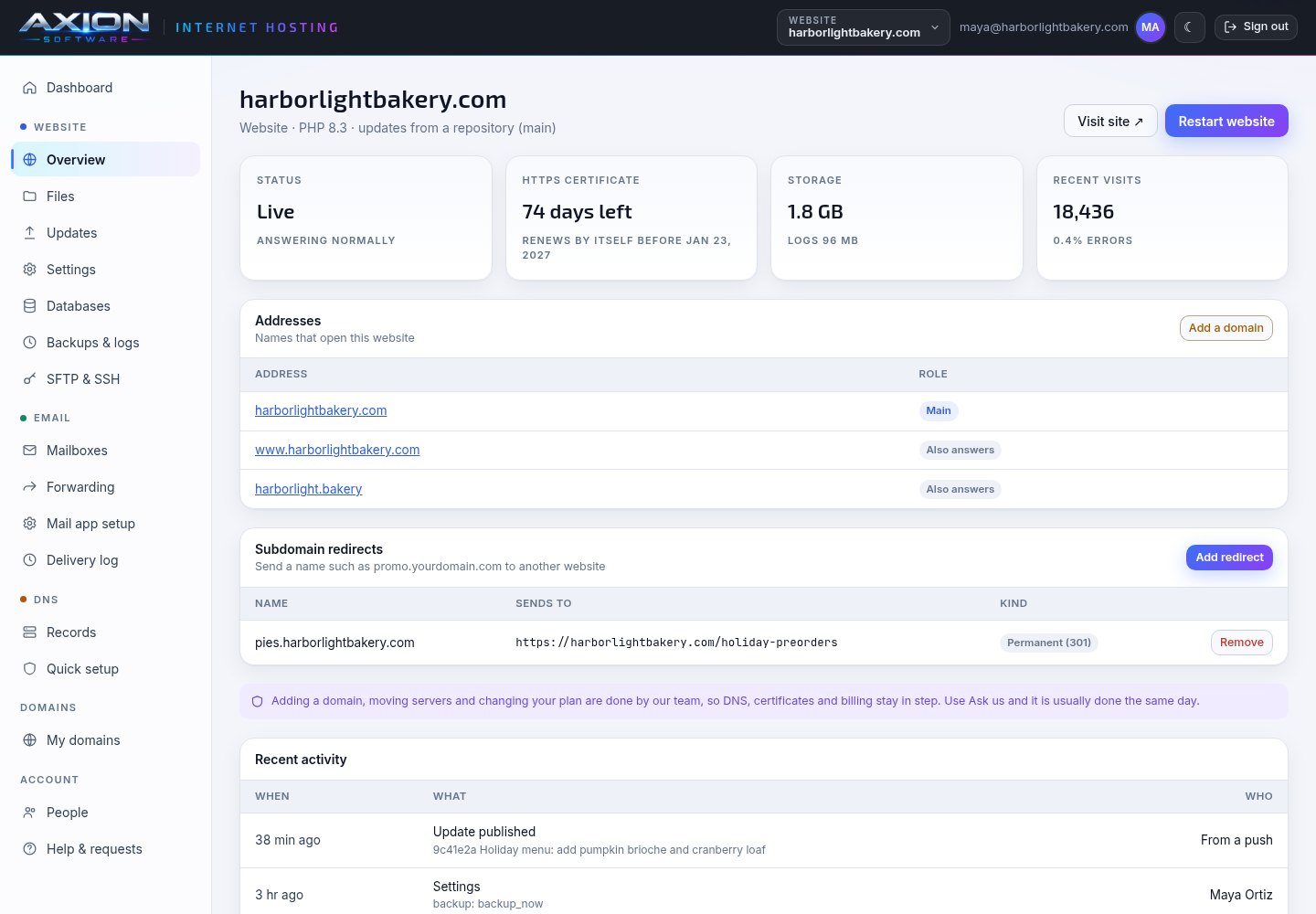
Push to your branch. Your website updates itself.
Connect your repository and we pull your branch and publish it. Each update becomes a new release beside the old ones, and your website only switches to it once it is complete.
- Updates on every push, or only when you press Update now
- Every update shows its commit, who or what started it, and its full log
- An update that does not finish leaves your website on the release it already had
- Roll back to any release still on the server in one step, with nothing to rebuild
- Private repositories work with a deploy key or an access token, which never appear in your files or logs
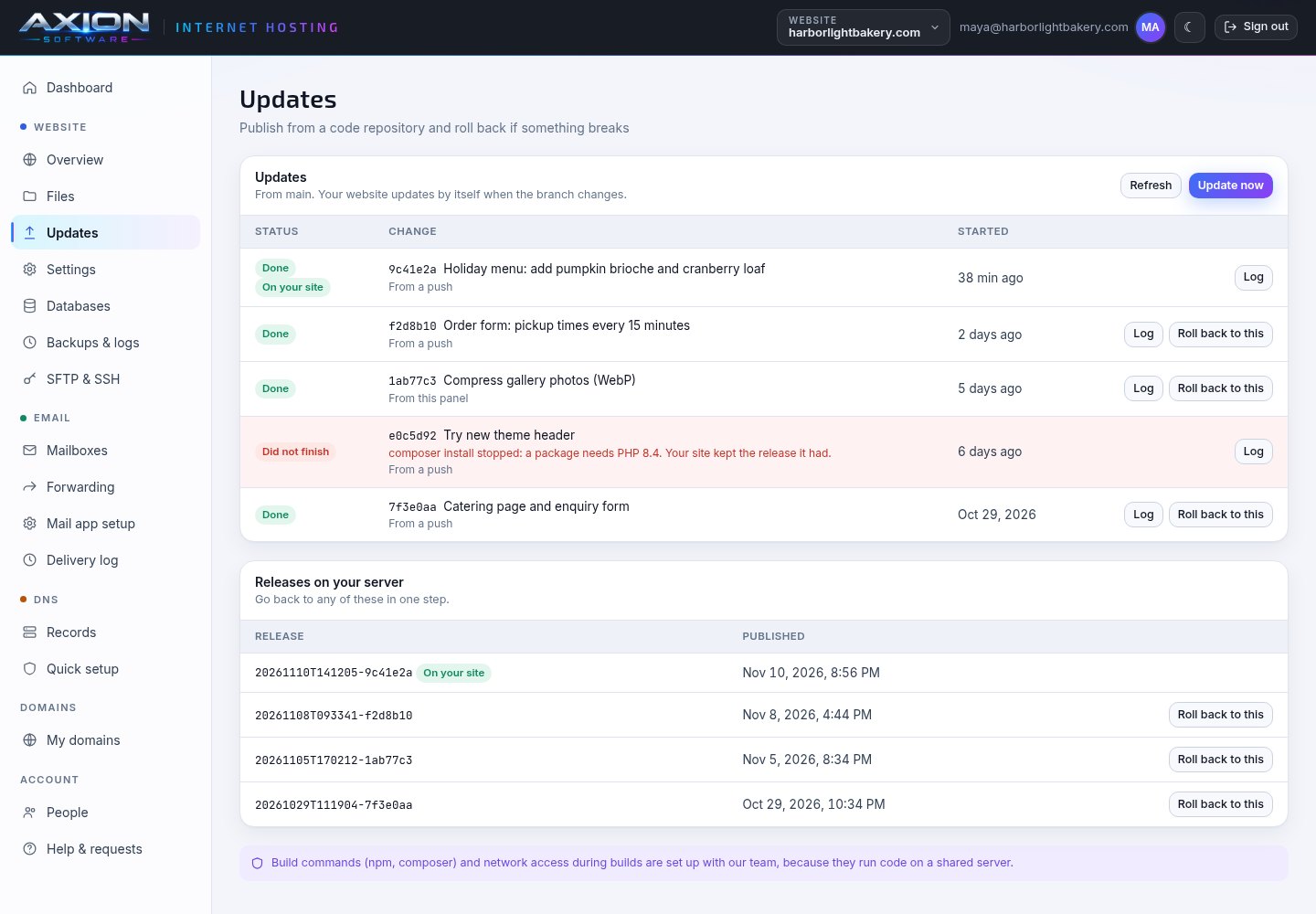
Your own SFTP login, with keys you control
Every website has its own SFTP user, and that user can only reach that website's folder. You manage the password and SSH keys yourself, from the panel.
- Make a new password (shown to you once), or remove it and sign in with keys only
- Add and remove SSH keys for each person or computer, and turn SFTP sign-in off when nobody needs it
- File activity lists uploads, downloads, renames, deletes and every sign-in, including refused ones
- Logs are yours to read but cannot be changed, so the record stays true
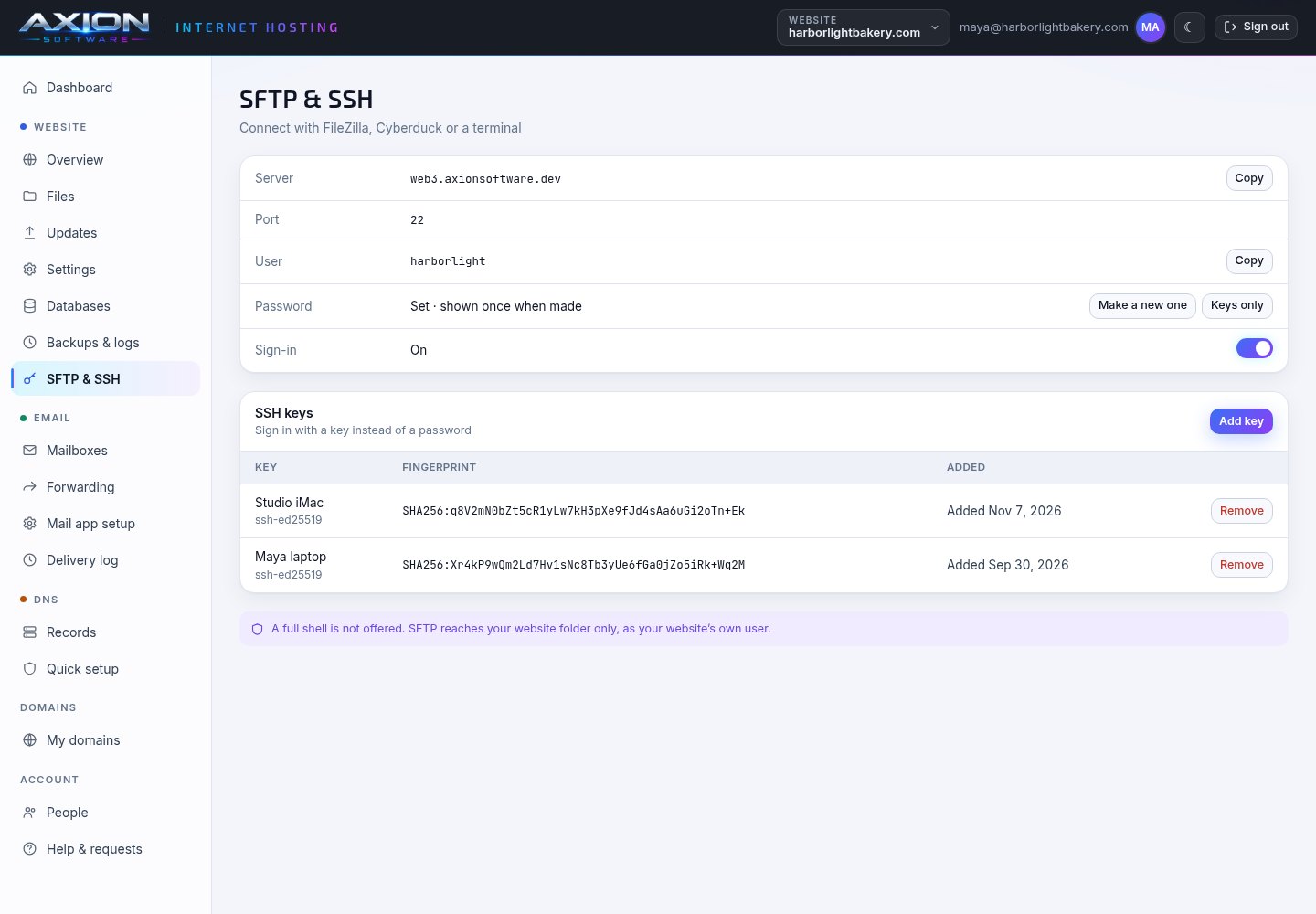
Run WordPress, Laravel, Flask or Django
Pick the engine your website runs on and we install and keep it current. Each website runs as its own user, so one website can never read another's files.
- PHP 8.1, 8.2, 8.3 or 8.4 in a pool of its own, with upload size up to 1 GB, memory up to 2 GB and time limits you set
- Python web apps served by gunicorn from their own virtual environment, which is rebuilt automatically when the server's Python changes
- Perl scripts and apps, run as your website's own user like everything else
- Environment variables for your API keys, stored encrypted, and scheduled jobs that run as your website's user
- A log viewer for visits, errors and PHP errors, plus a slow-request log when you are tracking one down
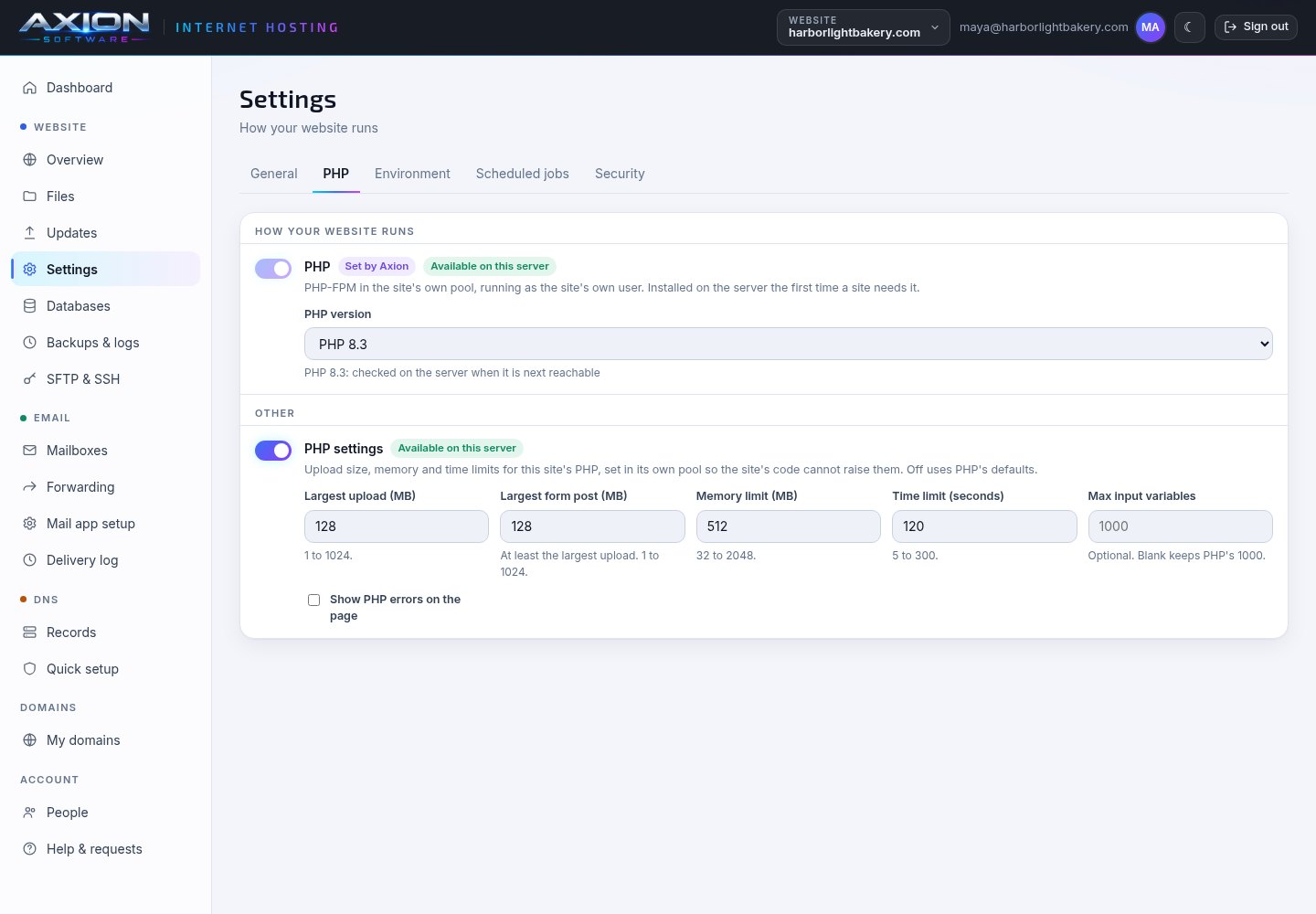
MariaDB, MySQL-compatible, and SQLite
Create a database from the panel and your app is given its connection settings on its next start. You never have to copy a password into a config file.
- MariaDB with its own user, given to your app as DATABASE_URL and the DB_ settings
- phpMyAdmin on your own address, over HTTPS, and only from the IP addresses you list if you choose
- Download the whole database as a compressed .sql file whenever you like
- SQLite files in a private folder visitors can never reach, given to your app as SQLITE_PATH
- Turning a database off archives its data first. Nothing is dropped without a copy.
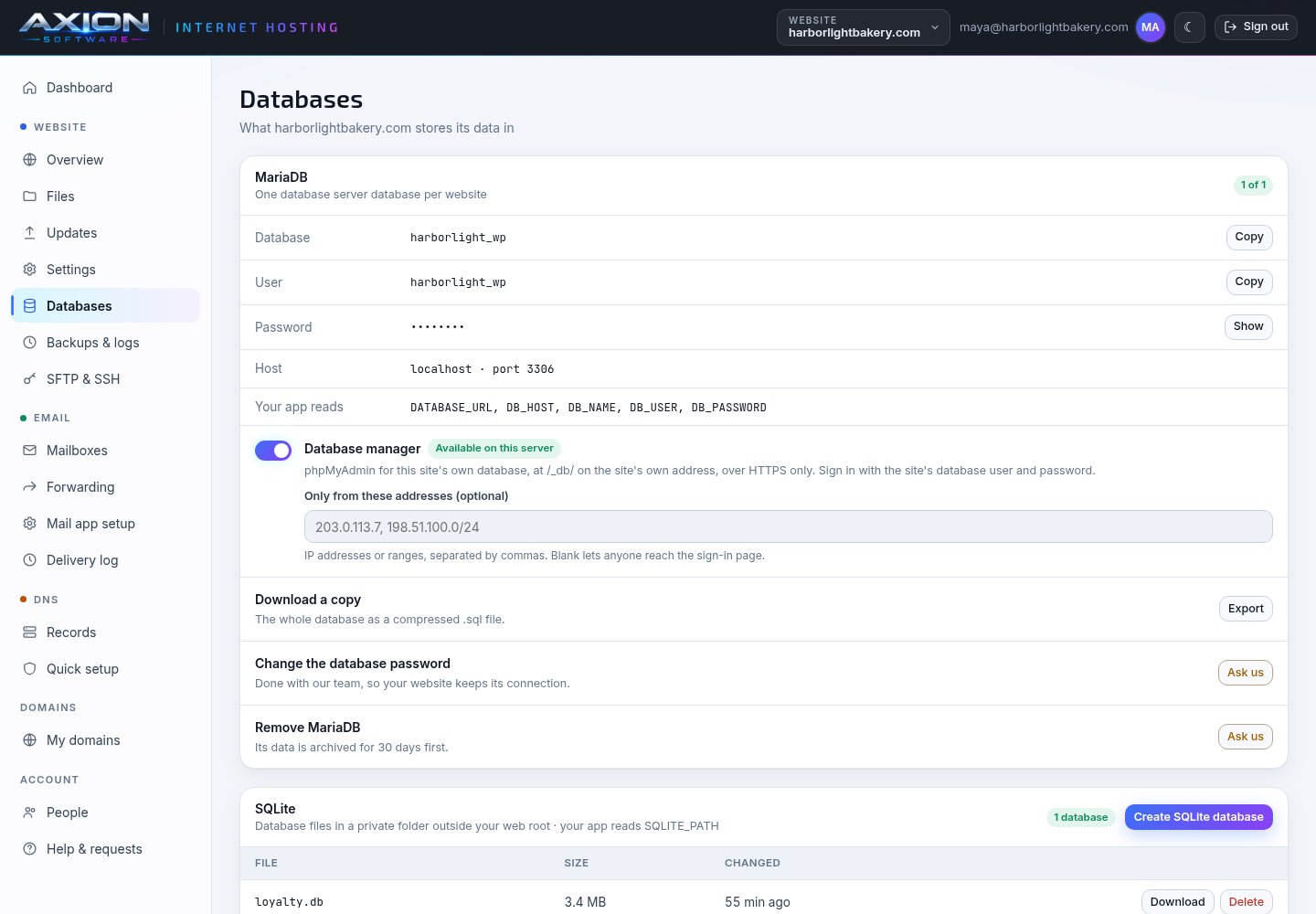
Built to stay up, and to come back if something goes wrong
Most downtime starts with a change: an update, a setting or a certificate. We engineered each of those so it cannot take your website down halfway through.
- Releases switch over in one step once complete, so visitors never see a half-published website
- PHP settings are tested before they are applied, so a bad value is refused instead of stopping your website
- Certificates renew on their own, well before they expire
- Every server reports to our operations console around the clock, and the system status page says what we are working on
- Nightly backups of files and databases, stored off the server and kept 14 days unless you choose up to 365
- A restore archives what you have now first, and restored files come back as a new release, so you can still roll back
A plain, proven stack, set up the careful way
Debian, Apache, PHP-FPM, Perl, gunicorn, MariaDB and BIND: software that has run the web for decades, set up so that every website is kept apart from the others.
Python apps, email and DNS, in the same place
One sign-in for everything we host for you. Each part only appears when your account has it.
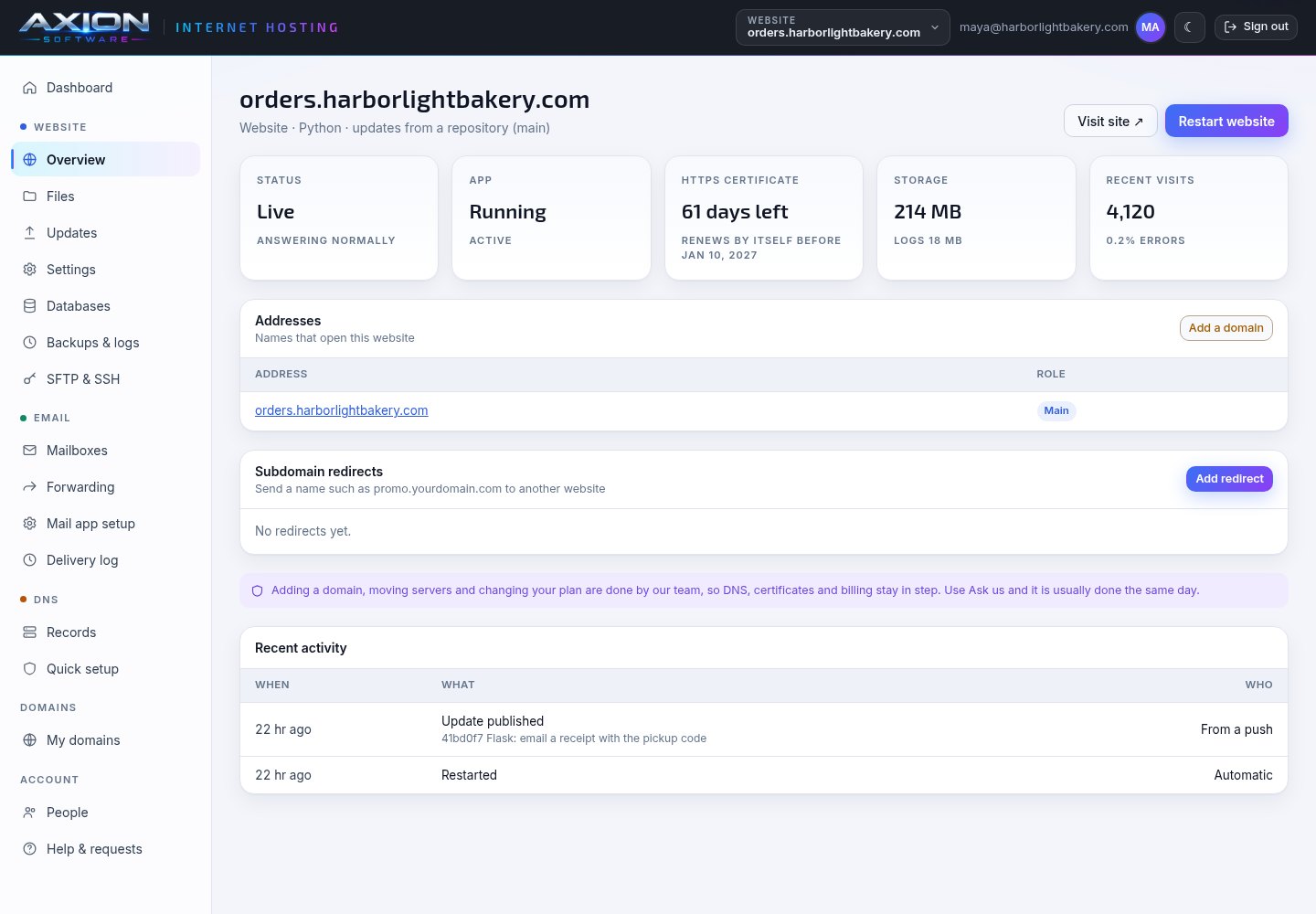
A Python web app
Whether the app is running, its certificate, its storage and its traffic, with a restart button and the same git updates as any other website.
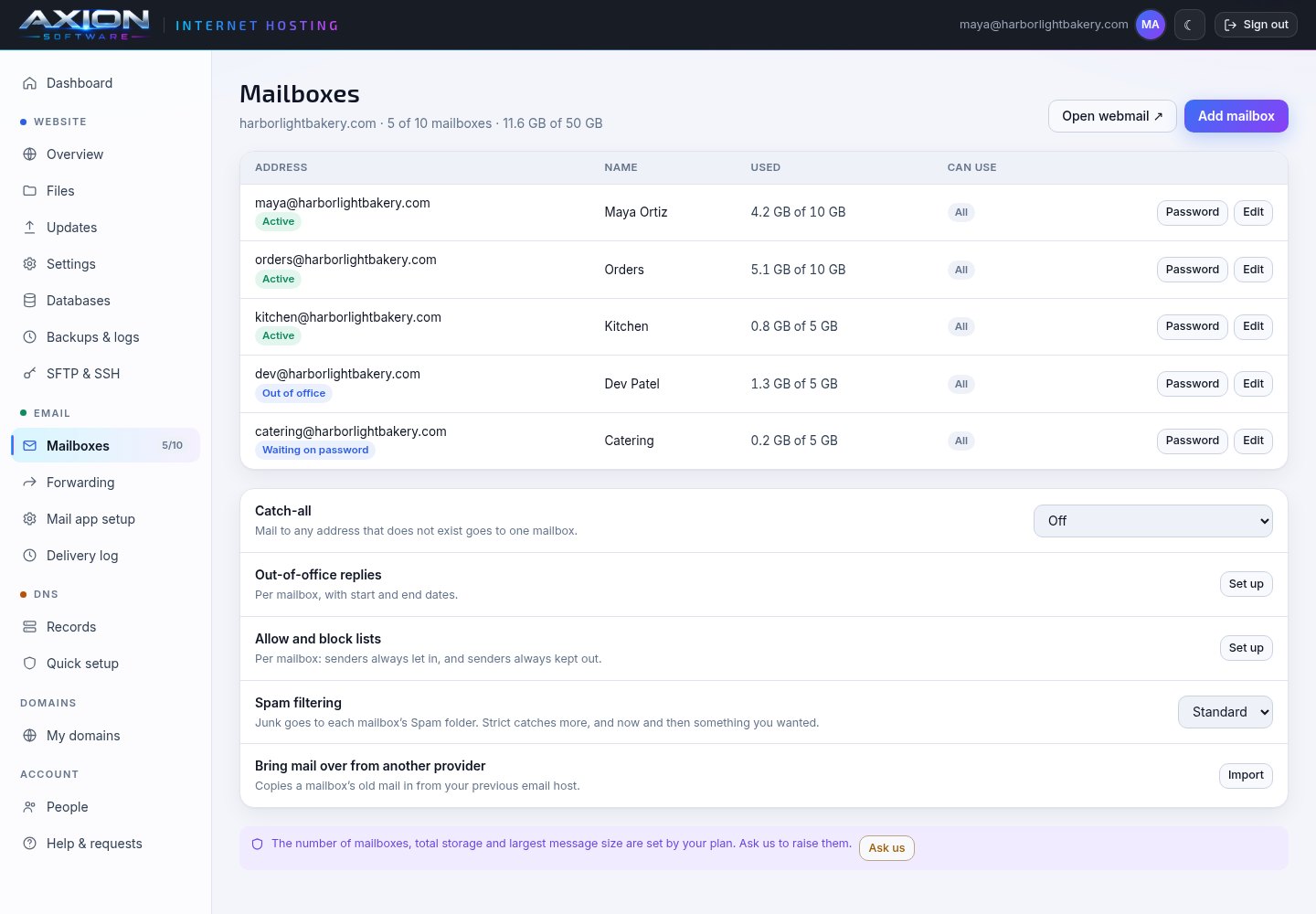
Email for your domain
Add mailboxes and send each person a link to set their own password. Set a catch-all, out-of-office replies and spam filtering, or bring old mail across.
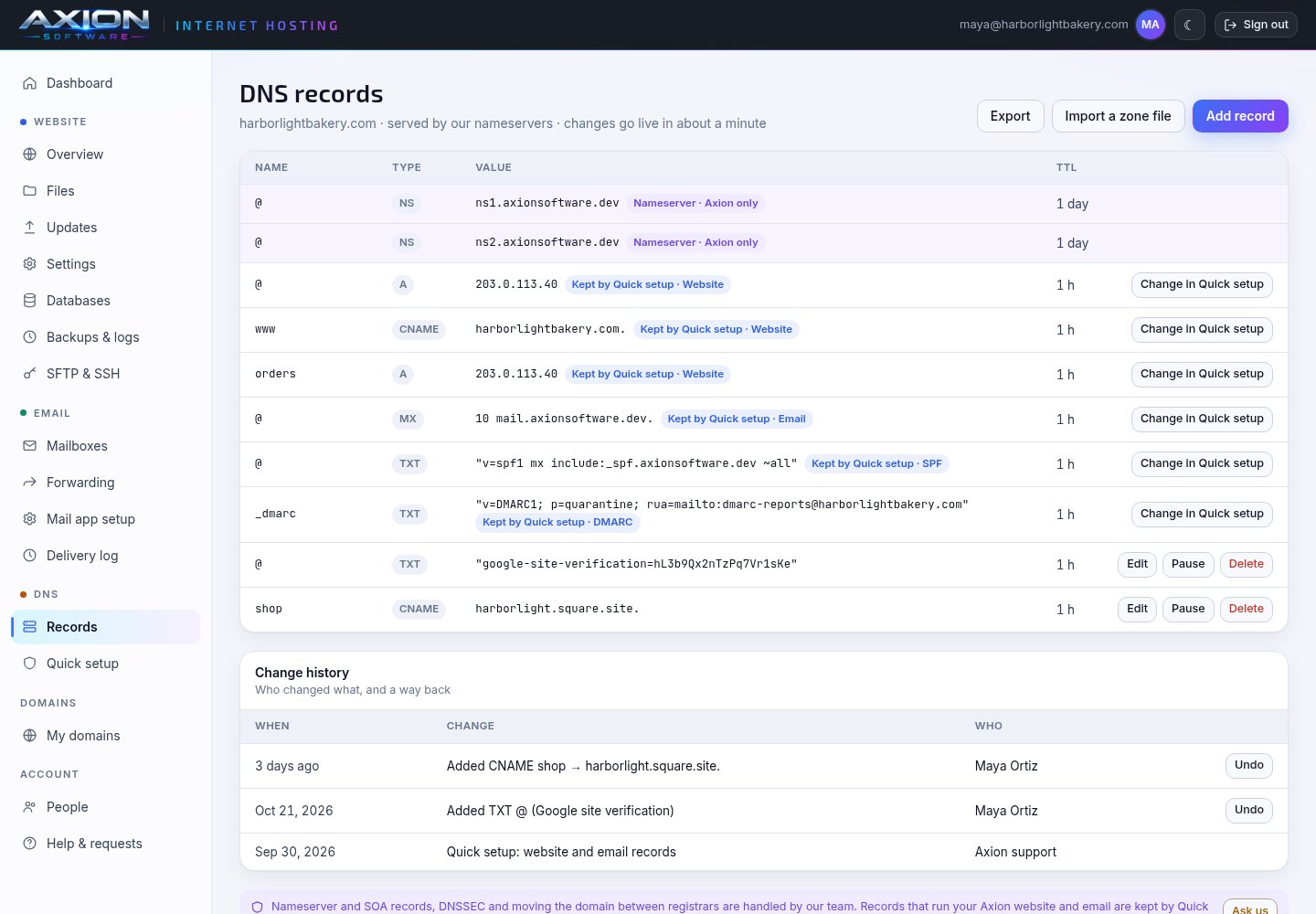
DNS you can undo
Add, pause or delete records, import or export a zone file, and undo any change from the history. The records your website and email need are protected from typos.
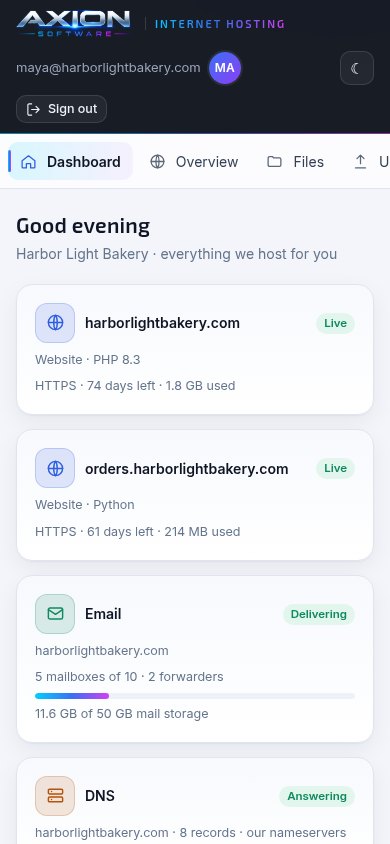
On your phone too
The panel fits a phone screen, so you can check on your website, restart it or switch on the maintenance page from anywhere.
One monthly price for your website, with no add-ons
Many hosts sell certificates, backups and databases as extras. Here they come with every website.
Common questions about Axion hosting
What does "managed" mean here?
We run the server and everything on it: the operating system, the web server, PHP, Perl and Python, security updates, certificates and backups. You look after your website's content and code, from the Hosting Panel. Anything that is ours to change, such as adding a domain or moving servers, is one Ask us request away.
Can I host WordPress?
Yes. Turn on One-click app in your website's Settings and we install WordPress for you, then keep WordPress itself up to date, with a full backup before every update and the backup put back on its own if your site stops loading. You can also upload WordPress yourself by SFTP or publish it from a repository. WordPress runs on PHP with a MariaDB database, which is MySQL-compatible, and you set the upload and memory limits it needs in Settings.
Which languages do you support?
PHP 8.1 to 8.4, Perl, Python web apps (WSGI, served by gunicorn) and static websites. Each website runs one engine. Switching it is done with our team, because it changes how the website runs.
Do I get SSH?
You get SFTP with your own password or SSH keys, which reaches your website's folder only, as your website's own user. A full shell is not offered. Scheduled jobs, environment variables and the log viewer cover what most people use a shell for.
How do backups work?
Every night your website's files and databases are copied to storage away from the server. They are kept for 14 days unless you choose longer, up to 365. You can back up at any time, download any backup, and restore the files, the database or both yourself.
Can you move my existing website?
Yes. Tell us where it is hosted today, and our team will plan the move with you, including the domain, the email and the DNS.
Looking for a better home for your website?
Tell us what you run today and we will tell you what it costs to host with us. There's no add-on list to read.